Category: Uncategorized

  • How to Relieve Gamer Neck Pain Without Leaving Your Chair

    How to Relieve Gamer Neck Pain Without Leaving Your Chair

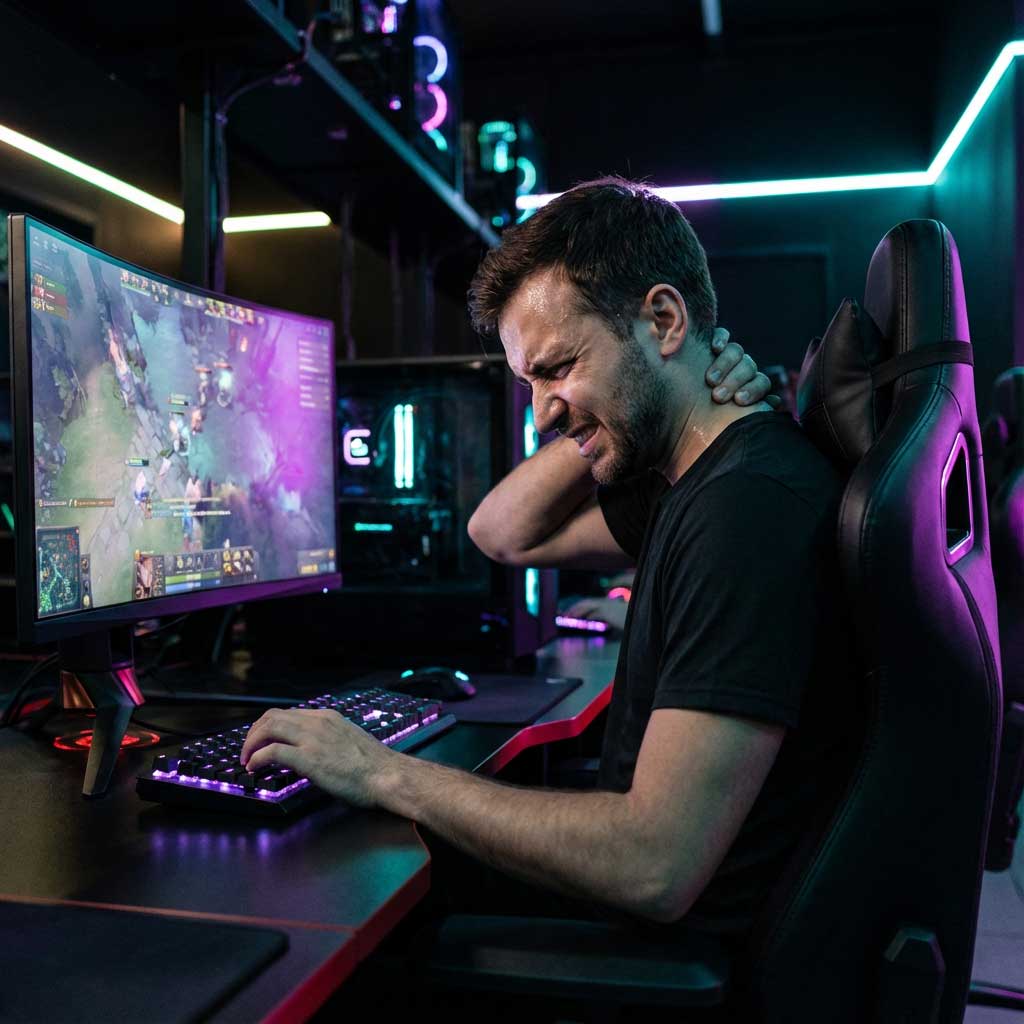
    You are in the middle of a ranked match, carrying your team, but your neck feels like it’s carrying the weight of the world. You can’t go AFK, so you need a fix right now. How to relieve gamer neck pain without leaving your chair? The most effective immediate solutions are isometric chin tucks (to reset posture during respawn timers), adjusting your monitor height to eye level instantly, and utilizing hands-free EMS technology like the EaseFit EMS which actively relaxes muscles while your hands remain on the keyboard. In this comprehensive guide, we won’t tell you to “stop playing.” Instead, we will teach you how to optimize your biological hardware so you can game longer, harder, and pain-free.

    Recovery Move Best Time to Use Effectiveness Disruption to Game
    Chin Tucks Respawn Timer / Loading Screen High (Reset Posture) Low (3-5 seconds)
    EaseFit EMS Device Active Gameplay (Anytime) Very High (Deep Tissue) Zero (Hands-Free)
    Monitor Re-Stack Before Match Start Medium (Preventative) None once set
    Scapular Squeeze Lobby / Queue Medium Low

    Understanding the Enemy

    The “Debuff” of Gamer Neck: Understanding the Enemy

    In the gaming world, “Gamer Neck” is the ultimate debuff. Medically known as cervical kyphosis or “Tech Neck,” it occurs when your spine curves incorrectly due to leaning forward. When you are clutching a 1v3 or focused on a raid boss, you naturally lean into the monitor. This is called Forward Head Posture.

    Here is the physics: Your head weighs about 5kg (11lbs). For every inch you lean forward, that weight doubles on your neck muscles. By the time you are 3 inches forward—typical for a heated gaming session—your neck is supporting nearly 20kg (45lbs) of force. That’s like balancing a mid-tower PC case on your cervical spine!

    The result? Chronic stiffness, tension headaches that ruin your aim, and eventually, permanent spinal damage. But don’t worry, you don’t need to quit gaming. You just need to patch your posture.
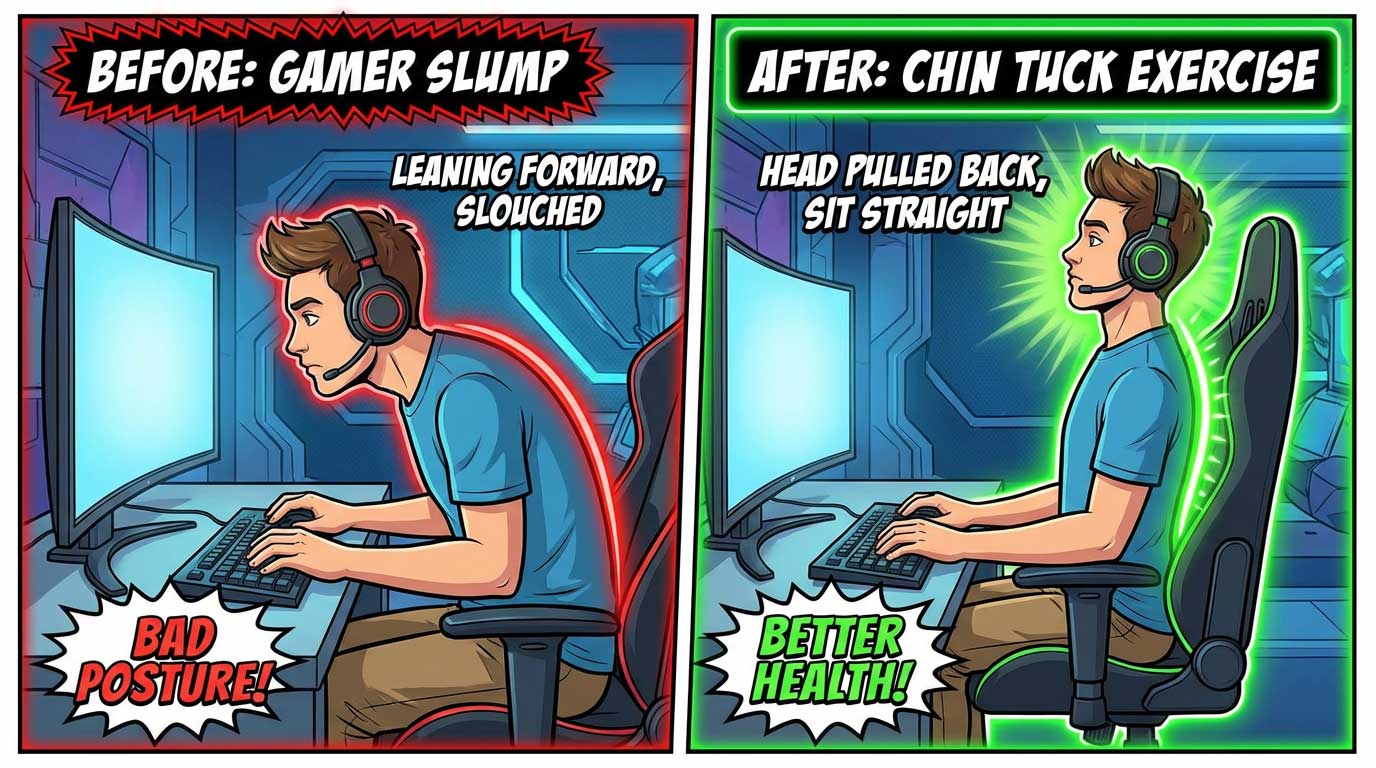
    Instant "In-Chair" Micro Stretches

    Phase 1: Instant “In-Chair” Micro Stretches

    You can’t pause an online game. We get it. That’s why these stretches are designed to be executed in less than 10 seconds—perfect for a respawn timer, a loading screen, or waiting for the lobby to fill.

    1. The “Double Chin” Tuck (The Reset)

    This is the single most effective move to counter forward head posture.

    How to do it: Without moving your shoulders, pull your head straight back as if you are trying to make a double chin. Imagine someone is pushing your nose straight backward.

    Hold for: 3 seconds.

    When: Every time you die or hit a loading screen.

    2. The Upper Trap Release

    Your Trapezius muscles (the muscles between your neck and shoulder) get tight from holding your arms up on the mouse and keyboard.

    How to do it: Sit on your left hand (anchor it under your thigh). Tilt your right ear toward your right shoulder. You should feel a deep stretch on the left side of your neck.

    Hold for: 10 seconds.

    When: Matchmaking queue.

    3. The “W” Squeeze

    This opens up your chest, which often caves in while gaming.

    How to do it: Raise your arms to the side, bend elbows to make a “W” shape. Squeeze your shoulder blades together behind you hard.

    Hold for: 5 seconds.

    When: Victory/Defeat screen.
    The Secret Weapon

    Phase 2: Equip the Right Gear (The Passive Healer)

    Stretches require active effort. But what if you could heal while you play? This is where technology meets ergonomics.

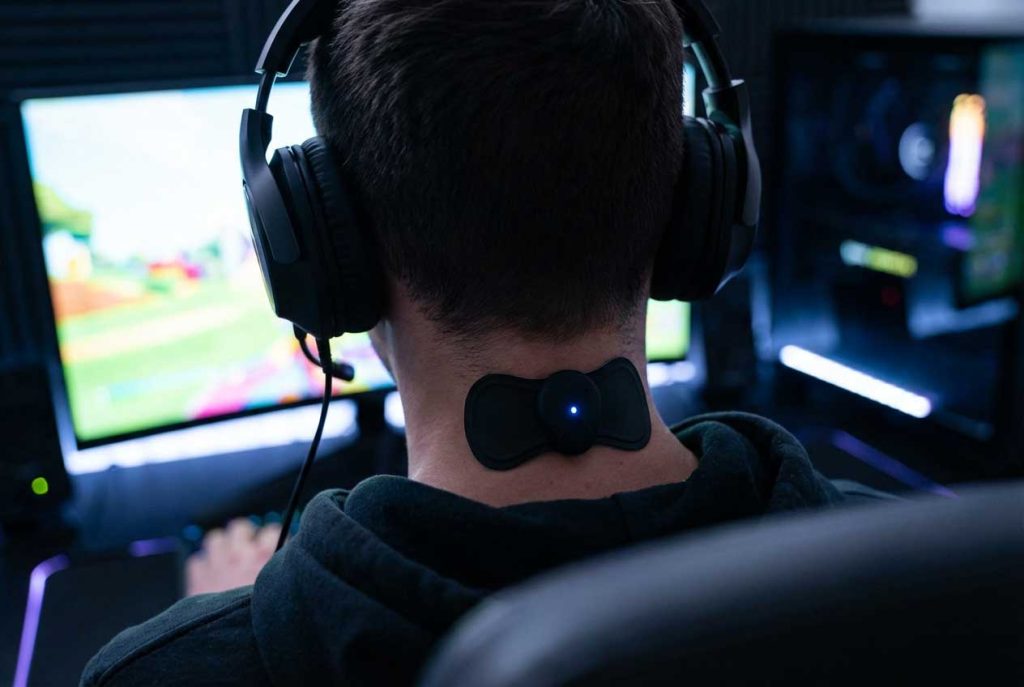
    The Secret Weapon: EaseFit EMS

    Most massagers are too bulky for gamers. You can’t wear a giant Shiatsu pillow while wearing a headset, and you can’t use a massage gun while aiming.

    The EaseFit EMS Mini Pad is different. It is a “set it and forget it” device.

    • Stealth Mode: It hides under your shirt or hoodie.
    • Zero Latency: It’s hands-free. You don’t need to stop clicking to get relief.
    • EMS Tech: It uses electrical pulses to flush out lactic acid from your neck muscles, preventing the “stiffening” effect of long sessions.

    How to use it in-game:

    Stick it on your neck before the match starts. When you feel tension building (usually round 3 or 4), simply reach back and press the “ON” button. It runs for 15 minutes, keeping your muscles loose while you focus on the win.
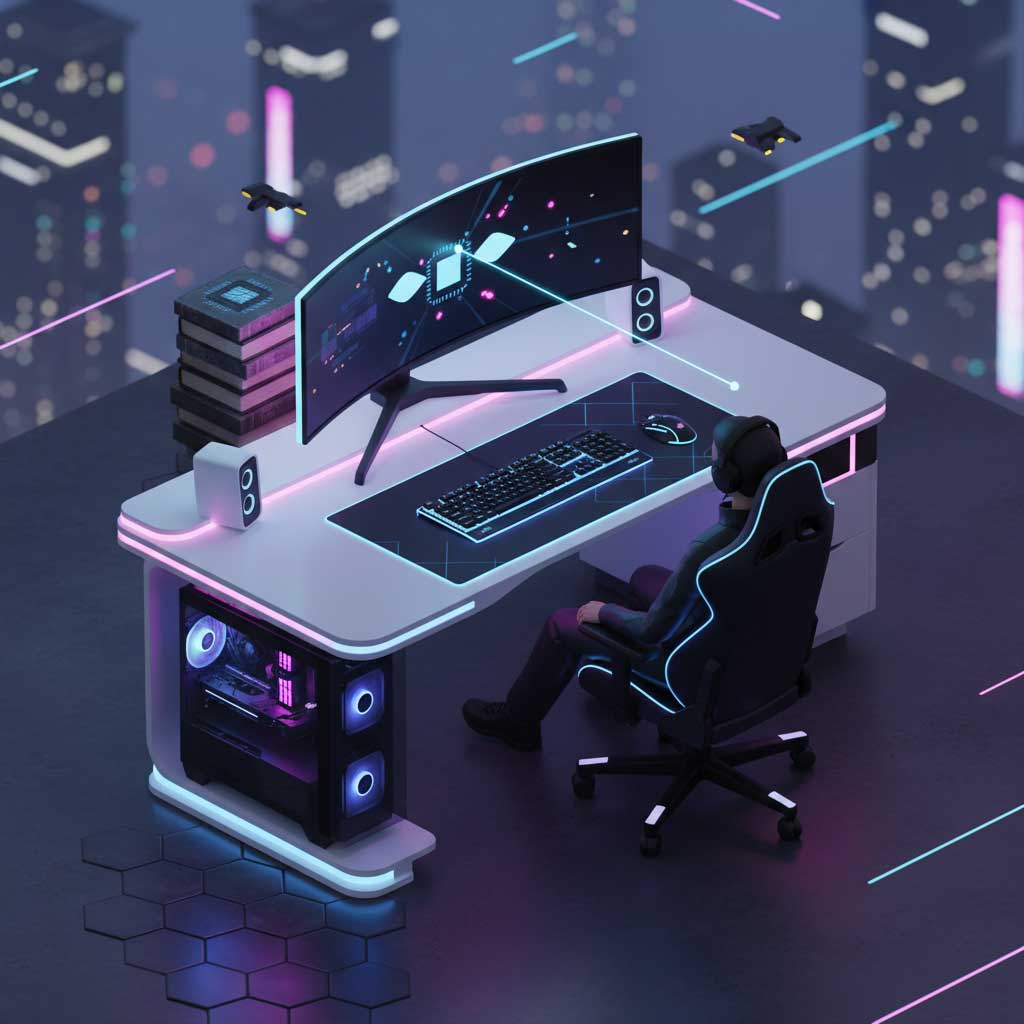
    Ergonomic Setup

    Phase 3: Optimize Your Setup (Battlestation Ergonomics)

    You can stretch all day, but if your setup forces you into a bad position, the pain will return. You don’t need to buy a $1000 chair. You just need to adjust what you have.

    1. The “Eye-Level” Rule

    The top 1/3 of your monitor should be aligned with your eyes. If it’s lower, your neck bends down.

    The Quick Fix: Don’t have a monitor arm? Stack some old textbooks or game boxes under your monitor stand right now. This forces your spine to straighten up.

    2. Elbow Pivot Point

    If your desk is too high, your shoulders hunch up towards your ears to reach the keyboard. This causes massive trap pain.

    The Fix: Adjust your chair height so your elbows are at 90 degrees. If your feet dangle, use a footrest (or a box).

    3. Lumbar Support is Non-Negotiable

    Neck pain often starts in the lower back. If your lower back slumps, your neck naturally juts forward to compensate. Ensure your butt is all the way back in the chair and use a lumbar pillow.

    Phase 4: The Meta Game (Habits)

    Pro players know that physical health equals mental performance.

    • Hydrate to Lubricate: Your spinal discs are mostly water. Dehydration makes them brittle and painful. Keep a water bottle on your desk.
    • The 20-20-20 Rule: This is for eye strain, but it helps the neck too. Every 20 minutes, look 20 feet away for 20 seconds. This breaks the “hypnotic” stare that locks your neck in place.

    FAQ: Gamer Neck Edition

    Will a gaming chair fix my neck pain?

    Not necessarily. Many “racing style” gaming chairs actually push your shoulders forward. The most important factor is adjustability (lumbar and neck pillows), not the racing aesthetic. Focus on posture first, chair second.

    How long does it take to fix Gamer Neck?

    If you catch it early, symptoms can improve in 2-4 weeks with consistent stretching and ergonomic changes. Using tools like the EaseFit EMS can accelerate recovery by increasing blood flow daily.

    Can I play while using the EaseFit EMS?

    Yes! That is its main advantage over other massagers. It sticks to your skin and is battery-operated, so there are no cords to tangle with your mouse, and your hands remain completely free.

    Is neck cracking bad for gamers?

    Habitual neck cracking can overstretch ligaments over time, leading to instability. It gives temporary relief but doesn’t fix the muscle tension. Use stretching or EMS massage for a safer, longer-lasting fix.

    Conclusion: GG WP to Neck Pain

    Learning how to relieve gamer neck pain without leaving your chair is a skill just like aiming or map awareness. It requires consistency. By integrating micro-stretches into your loading screens and equipping the right hardware like the EaseFit EMS, you can extend your gaming career and avoid the “Game Over” screen for your health.

    Don’t let physical pain be the reason you lose the match. Upgrade your recovery gear today.


    Level Up Your Recovery (€14.9)


  • Best Portable Neck Massager for Computer Programmers

    If you spend 8 to 12 hours a day staring at code, battling syntax errors, and pushing commits, you likely suffer from “Tech Neck.” You need a solution that fixes the pain without interrupting your workflow. So, what is the best portable neck massager for computer programmers?

    After testing various form factors specifically for desk usage, the clear winner is the Wireless EMS Mini Pad (like the EaseFit EMS). Unlike bulky Shiatsu pillows or loud massage guns, an EMS pad is silent, hands-free, and weighs less than a mouse. It allows you to maintain your “flow state” while treating muscle knots. However, depending on your specific needs (e.g., deep tissue vs. nerve stimulation), other options might work too. In this guide, we review the top 5 massager types to help you upgrade your body’s hardware.

    Massager Type Best For… Coding Friendly? Price Estimate Our Rating
    1. EaseFit EMS (Mini Pad) Deep Relief while Working ✅ 100% (Hands-Free) € (Affordable) ★★★★★
    2. Shiatsu Pillow Heavy Deep Tissue ⚠️ Difficult €€ ★★★★☆
    3. Percussive Gun Athletes / Post-Workout ❌ No (Needs Hands) €€€ ★★★☆☆
    4. U-Shape Neck Roller Simple Mechanical Rub ❌ No €€ ★★☆☆☆

    The “Runtime Error” in Your Spine: Why Programmers Suffer

    Before we dive into the products, let’s understand the bug we are trying to fix. Programmers have a unique set of occupational hazards. Unlike construction workers who face sudden injuries, a developer’s injury is cumulative. It’s a memory leak that eventually crashes the system.

    The human head weighs about 10 to 12 pounds in a neutral position. However, when you lean forward to inspect a line of code (Forward Head Posture), the force on the neck surges to 60 pounds (27 kg). This constant tension causes the Trapezius and Levator Scapulae muscles to harden, restricting blood flow to the brain. This doesn’t just cause pain; it causes “Brain Fog,” reduced creativity, and faster burnout.

    Criteria for the “Best” Developer Massager

    To rank these products, we used the following “Unit Tests”:

    • Multitasking Ability: Can I use it while typing?
    • Noise Level (dB): Will the sound distract me or annoy my coworkers?
    • Portability: Does it fit in a laptop bag?
    • Technology: Does it treat the nerve pain or just the surface skin?

    Top 5 Neck Massagers for Programmers (Ranked)

    #1 TOP PICK

    1. EaseFit EMS: The Invisible Therapist

    For the modern programmer who values efficiency and minimalism, the EaseFit EMS takes the crown. This isn’t a traditional mechanical massager; it uses EMS (Electrical Muscle Stimulation) technology. This is the same tech used by physical therapists to rehab atrophied muscles.

    The device is a small, butterfly-shaped pad that adheres directly to your skin. It sends electrical pulses deep into the muscle fibers, forcing them to contract and relax. This mimics the body’s natural pump mechanism, flushing out lactic acid and bringing fresh oxygenated blood to the brain.

    Pros (Why we love it):

    • Hands-Free Coding: Once applied, you forget it’s there. You can type at full speed.
    • Zero Noise: No motors, no buzzing. Perfect for open offices or late-night coding.
    • Targeted Relief: Sticks exactly where the knot is (Neck, Shoulder, or Lower Back).
    • Price: At €14.90, it has the highest ROI (Return on Investment).

    Cons:

    • Gel pads need occasional cleaning to stay sticky.
    • Some people are surprised by the “tingling” sensation of EMS initially.

    2. The Shiatsu Neck Pillow (U-Shaped)

    These are the bulky, U-shaped devices that you drape over your shoulders. They contain rotating plastic balls that physically knead the muscles.

    The Verdict: They are powerful. If you want physical pressure (like human thumbs), this is a good choice. However, for a programmer, they are flawed. They are heavy (often 1-2 kg) and restrict arm movement. You basically have to stop working to use them properly. They are great for the couch after work, but terrible during work.

    • Pros: Strong physical massage, often includes heat.
    • Cons: Bulky, requires a power cord (usually), heavy on shoulders.

    3. Percussive Massage Guns

    Massage guns look like power drills and deliver rapid bursts of pressure. They are incredibly trendy right now.

    The Verdict: Excellent for gym-goers and leg muscles, but risky for the neck. The neck contains sensitive nerves and arteries; hitting them with a high-powered gun can be dangerous. Furthermore, holding a heavy gun to your own neck is tiring for your arm. It requires 100% of your attention and at least one hand, meaning: Zero coding happens while using this.

    4. Manual Rollers / Sticks

    Simple plastic tools with silicone balls that you squeeze around your neck manually.

    The Verdict: Cheap and unbreakable. However, they require you to do the work. If your arms are already tired from typing, do you really want to perform a bicep workout just to massage your neck? They serve a purpose, but they aren’t a “smart” solution.

    Why EMS is the “Senior Developer” of Therapies

    Why did we rank the EaseFit EMS as #1? It comes down to the science of sedentary pain.

    When you sit still, your muscles aren’t necessarily “tight” in a gym sense; they are “locked” in a static contraction. Physical rubbing (Shiatsu) feels good, but Electrical Muscle Stimulation (EMS) hacks the nervous system. It sends a signal that says “Contract” and “Relax.” This rapid cycling pumps out the inflammatory fluids that build up during long coding sessions.

    Plus, the portability factor is unmatched. It fits in your pocket. You can charge it via the same USB-C port on your MacBook. It integrates into your digital lifestyle seamlessly.

    How to Debug Your Workstation

    Even the best portable neck massager for computer programmers can’t fix a terrible desk setup forever. Combine your massager with these fixes:

    1. The 20-20-20 Rule

    Every 20 minutes, look at something 20 feet away for 20 seconds. This resets eye strain and neck position.

    2. Monitor Height

    The top of your monitor should be at eye level. If you are looking down, you are hurting your spine.

    3. Elbow Angle

    Your elbows should be at a 90-degree angle when typing. If they are too high, your shoulders will hunch.

    Frequently Asked Questions

    Is EMS safe for daily use?

    Yes, EMS is considered safe for healthy adults. However, avoid using it if you have a pacemaker or are pregnant. We recommend sessions of 15 minutes, 1-2 times per day.

    Can I use the EaseFit EMS on my lower back?

    Absolutely. Programmers often suffer from lumbar pain due to poor chairs. The adhesive pad works perfectly on the lower back, shoulders, and even forearms (to prevent Carpal Tunnel).

    Does it require batteries?

    The EaseFit EMS is rechargeable via USB. You don’t need to buy disposable batteries. A single charge usually lasts for multiple sessions.

    Why is it cheaper than massage guns?

    Massage guns require heavy motors, lithium batteries, and complex housing. EMS technology relies on microchips and conductive pads, which are much more cost-effective to manufacture while being highly effective for nerve pain.

    Final Conclusion: Which one should you push to production?

    In the search for the best portable neck massager for computer programmers, weight and usability are the deciding variables. While Shiatsu pillows offer raw power, they are too cumbersome for a busy developer’s desk. Massage guns are too loud and distracting.

    The EaseFit EMS strikes the perfect balance. It solves the pain problem without creating a distraction problem. It’s the only tool that allows you to fix your body while you fix your code. And at just €14.90, it’s a hardware upgrade that costs less than a pizza.


    Get the EaseFit EMS Now (€14.9)

    Fast Shipping • 30-Day Satisfaction Guarantee